
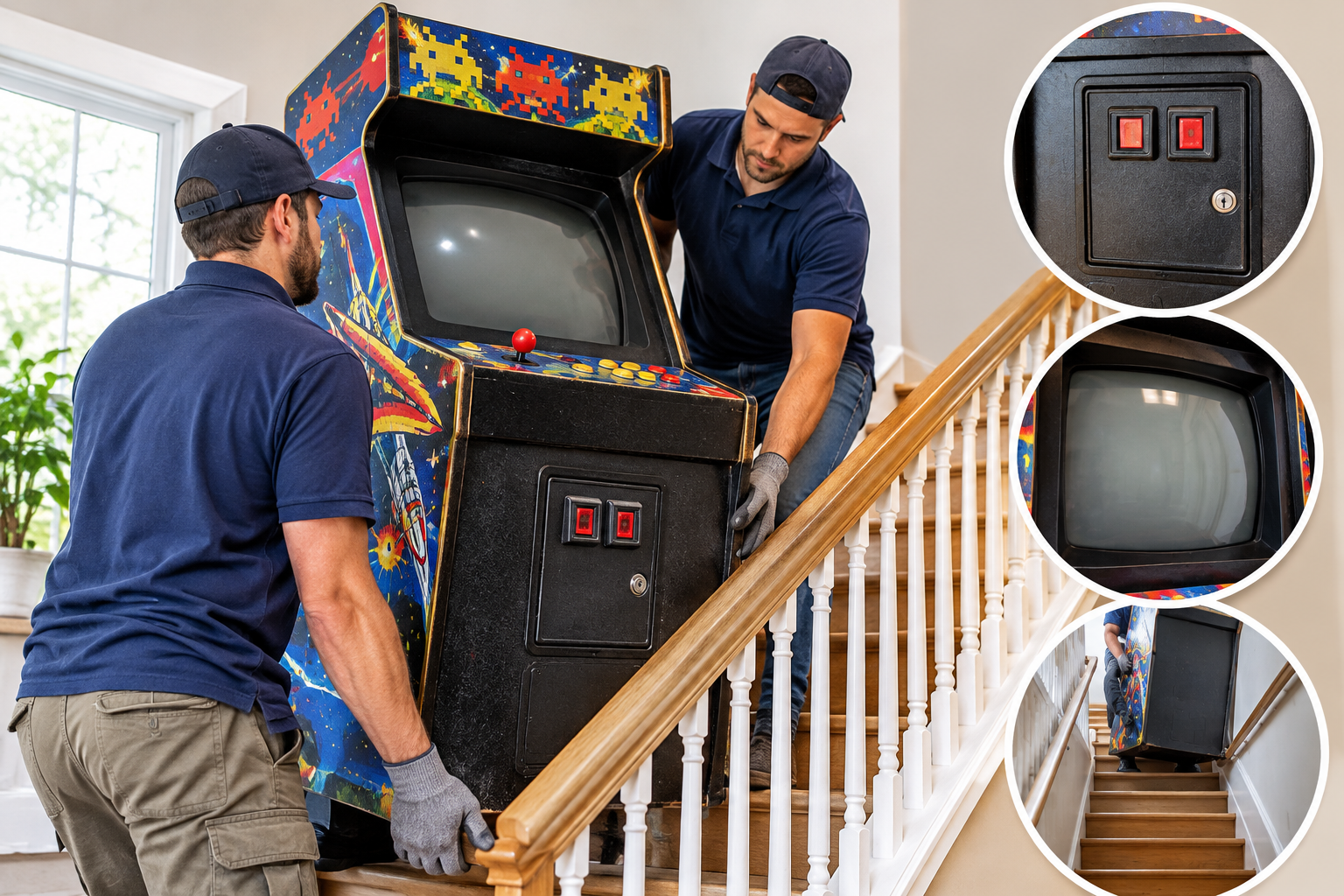

You have measured the spot in the new basement, borrowed a truck, and talked two friends into helping. Then someone asks the question that stops the plan cold: how does a six-foot cabinet with a glass picture tube inside get down those stairs?
Here is the short answer on how to move an arcade machine. Empty and lock the coin door, strap down every loose part, keep the cabinet upright when you can, leave the monitor closed and braced, measure every doorway and turn on the route, and use a strapped dolly with enough people. The rest of this guide explains each step and the reasoning behind it, so you can adjust the plan to your own cabinet.
How to Move an Arcade Machine in Six Steps
Prepare the cabinet first, then the route, then the lift. Most damage happens when people skip straight to lifting.
-
Power down. Unplug the cabinet and wrap the cord so it cannot drag or catch.
-
Empty the cash box. Remove coins and tokens, then close and lock the coin door.
-
Remove or secure loose parts. Glass, marquee, control panel hardware, and anything that rattles.
-
Brace the monitor and boards. Check that nothing inside can shift.
-
Measure the route. Compare the cabinet’s widest and tallest points to every opening.
-
Strap and move. Secure the cabinet to a dolly, with a spotter at each end.
If you only have time to do one thing well, make it the measuring. A cabinet stuck halfway through a doorway is how most arcade moves go wrong.
Should the Cabinet Travel Upright or Flat?
Upright is the better default. A vintage cabinet was built to stand, and its monitor, mounting frame, and wiring were designed for the weight to sit in that direction.
Laying it down changes which parts carry the load. A monitor frame that has held steady for decades can still have a loose bolt or a worn bracket, and one bump can turn that into a shifted tube.
Flat is sometimes the only option, such as when a van’s roof is too low or the cabinet has to go through a tight upstairs window. If you go that route, lay it on its back on thick moving blankets, never on its side or face down on the control panel. Secure everything inside first, and strap the cabinet so it cannot slide. Cabinets converted to a flat-panel screen are lighter and less fussy, but the loose-parts rules still apply.
Empty and Secure the Cabinet First
The goal is to turn a machine full of loose pieces into one solid object.
Coin door and cash box
Start by taking out the coins and the cash box. A cabinet full of quarters is heavier than it looks, and loose coins bounce around inside like small hammers. Close the coin door, lock it, and keep the keys with you rather than inside the cabinet.
Be careful with tape on the outside of the cabinet. Vintage side art and decals can lift or tear when the tape comes off, so use blankets and straps instead.
Glass, marquee, and control panel
Remove any glass bezel and the marquee if they come out easily. Wrap each piece in a blanket or cardboard and carry it separately in the truck cab or back seat, where it will not be crushed. Glass is weakest at the edges, so protect the corners.
The control panel is one of the most common places for damage. Joysticks, trackballs, and buttons stick out and can snap if the cabinet leans on them. Remove tall joystick tops and balls if the design allows, and never use the control panel as a handle.
Boards, speakers, and wiring
Open the back and check that the circuit board, power supply, and speakers are bolted down and that connectors are seated. A loose board can scrape against metal and tear a trace. If you cannot secure something without touching high-voltage parts, wedge it with foam and leave it.
Handling a CRT Monitor Safely
Most vintage cabinets use a cathode ray tube, or CRT, which is the heavy glass picture tube that preceded flat screens. The tube itself is fragile at its thin neck, and it can hold an electrical charge even when the cabinet has been unplugged for some time.
For a normal move, the safest approach is to leave the monitor closed and in place. You do not need to open it to carry the cabinet across the room or down the stairs. Opening the chassis is what puts you near stored charge. According to iFixit’s guide to discharging CRT monitors, even a properly discharged larger tube can regain some charge, which is why the guide advises waiting a minute or two and discharging again. If you have never done that, this is not the time to learn on a family heirloom.
Instead, focus on keeping the tube from moving:
-
Confirm that the monitor frame is bolted to the cabinet at every mounting point, with no missing hardware.
-
Never lift or push on the neck of the tube or the small circuit board attached to it.
-
Pad the screen with cardboard or foam if the glass bezel is off.
If the monitor wobbles or the bracket looks damaged, stop and have a technician look at it before moving the cabinet. A repair on the bench costs far less than a cracked tube.
Measure the Route Before You Lift
Measure the cabinet at its widest, deepest, and tallest points, including the control panel overhang and the marquee. Then measure every door, hallway, and turn it must pass through.
It helps to know what a typical home offers. The New York Department of State’s summary of the International Residential Code notes that a required exit door needs a clear opening of at least 32 inches, and stairways must be at least 36 inches wide above handrail height. Those are minimums for newer construction. Older houses, apartments, and basement stairs can be tighter, and handrails and trim eat into the usable space.
A few practical tips:
-
Measure the diagonal of the cabinet’s side profile, because tilting on a dolly increases the height it needs.
-
Remove doors from their hinges where possible, which often buys back an inch or two.
-
Check landings and corners, since a long cabinet needs room to pivot.
If the numbers are close, assume the cabinet will not fit and plan an alternative, such as a different entrance.
Moving an Arcade Cabinet Up or Down Stairs
Stairs are the hardest part of the job because they combine weight, height, and a narrow working space. The cabinet should travel upright, strapped to a dolly, with a spotter on each end.
Weight is the first problem. Many classic uprights weigh a few hundred pounds, and the range is wide, so look up your model or weigh the cabinet if you can. For comparison, the load limit in the NIOSH lifting equation is only 51 pounds under ideal conditions, according to NIOSH’s ergonomic guidelines for manual material handling. Real stairs are far from ideal. An ergonomics article from EHS Today (2015) adds that loads above about 250 pounds are better kept off a two-wheel hand truck. A heavy cabinet therefore needs a sturdy, strapped appliance dolly and more than two people.
Here is how a careful stair move usually goes:
-
Strap the cabinet to the dolly with two straps, one high and one at mid-height, so it cannot lean.
-
Put the strongest person on the downhill end, since that end carries most of the load.
-
Take one step at a time and pause on each step so everyone can reset their grip.
-
Pick one person to call the moves.
-
Keep hands and feet clear of the space below the cabinet.
When the route has narrow turns, a long flight, or a cabinet near the top of the weight range, some owners bring in oversized item movers for that part of the job, because crews that handle bulky pieces regularly are used to doorway and stair navigation. The preparation steps above still apply either way.
If the cabinet starts to tip, step away. A scratched side panel can be repaired, but an injured back or hand often cannot.
Loading, Driving, and Setting Up
Stand the cabinet against the front wall of the cargo area, with blankets between it and anything else, and strap it at two heights to the tie-down rails. Stack nothing on top. Brake gently, since hard stops can shift even a well-secured cabinet.
Once the cabinet is in place, let it rest. If it traveled in cold or damp weather, give it a few hours to reach room temperature before you plug it in. Then check that the monitor frame is still tight, the connectors are seated, and the leveling feet are adjusted. If you smell anything burning when you power it on, switch it off and look for a loose connection.
Common Mistakes to Avoid
Most failed arcade moves come down to a handful of repeat errors:
-
Skipping the tape measure. Guessing at doorways is the fastest route to a stuck cabinet.
-
Lifting by the control panel or marquee. Both are weaker than they look.
-
Under-staffing the stairs. Two people can carry a cabinet across a room, but stairs call for more hands.
-
Opening the monitor without training. The danger comes from stored charge, not from the cabinet being plugged in.
Frequently Asked Questions
Can you move an arcade machine on its side?
It is best to avoid it. A cabinet on its side stresses the monitor mount and cabinet seams. If you cannot move it upright, lay it on its back on thick blankets, secure the internal parts, and strap it so it cannot slide.
Do I need to discharge the CRT before moving an arcade machine?
Not if you leave the monitor closed and just carry the cabinet. Discharging is for people who plan to open the monitor chassis or remove the tube, and it should be done by someone trained. Even then, larger tubes can regain charge after a first discharge, so extra caution is needed.
How many people does it take to move an upright arcade cabinet?
Plan on at least two people on level ground with a strapped dolly, and three or four for stairs. A spotter at each end helps prevent tipping. If the cabinet is heavy or the stairs are steep and narrow, add people rather than pushing through.
What kind of dolly works best for an arcade cabinet?
An appliance hand truck with a wide base, straps, and a load rating above the cabinet’s weight works well. Two-wheel trucks become hard to control above roughly 250 pounds, so heavier cabinets need extra help or a different method.
Should I remove the marquee and glass before moving?
Yes, if they come out easily. Both are easy to crack or scratch in transit. Wrap each in a blanket or cardboard, transport them separately, and put them back once the cabinet is in its new spot.
Plan the Route, Then Take It Slowly
A good arcade move is mostly planning. When the coin door is locked, the monitor is braced, the loose parts are packed, and the route is measured, the physical move becomes a matter of patience.
Give yourself more time than you think you need, bring more hands than seems necessary, and stop the moment something feels off. A slow move that ends with a working cabinet beats a fast one every time.
Sources (for editor verification)
-
iFixit, “Safely discharging CRT monitors” (n.d.)- https://www.ifixit.com/Wiki/Safely_discharging_CRT_monitors
-
New York Department of State, “Residential Exit Doors, Stairways, Landings, Handrails and Guards” (IRC summary)- https://dos.ny.gov/residential-exit-doors-stairways-landings-handrails-and-guards
-
NIOSH (CDC), “Ergonomic Guidelines for Manual Material Handling,” Publication No. 2007-131 (2007, archived copy)- https://webarchive.library.unt.edu/eot2008/20080921153548/http://cdc.gov/niosh/docs/2007-131
-
EHS Today, “Be the Champion of Your Manual Material Handling Process” (2015)- https://www.ehstoday.com/training-and-engagement/article/21917044/be-the-champion-of-your-manual-material-handling-process